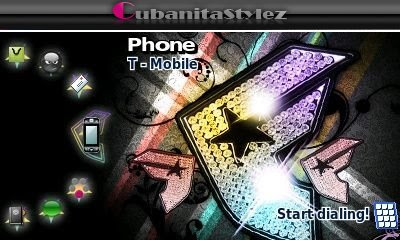
Valentine's Day is just a few days away so here are some Valentine's themes for your Sidekicks!

You can also download this theme for Sidekick Slide.

You can also download this theme for Sidekick Slide.

Valentine's Day is just a few days away so here are some Valentine's themes for your Sidekicks!
New Year 2009 theme with fireworks as hinges, custom bubbles, zoom effects, all icons and key guard.


Hello Kitty theme with Christmas remixed theme song as hinges, my clear bubbles, zoom effects, all icons including Hello Kitty IM and two key guards to choose from. This theme is also available for Sidekick LX/08: CLICK HERE


Nelly theme with hinges from the songs "Long Night" and "U Could Get It". It has custom bubbles, zoom effects, all black icons and key guard.


LA Dodgers theme with baseball hinges, all custom baseball icons, custom Dodgers IM icon, custom bubbles, and zoom effects. Also includes key guard and LA logo phone splash. This theme is for the Sidekick Slide but you can get the LX/08 version by CLICKING HERE.


Today's theme is for the Sidekick Slide and obviously this theme was requested by Jennifer. lol


The screen shot for this theme is from the Sidekick Slide but you can get the LX/08 version of this theme by clicking here.


I know that most Sidekick users are probably bored of the default Sidekick themes but I still get a lot of people asking me for them so I decided to post them. These might come in useful if you're interested in making themes based on the defaults like my Cracked themes, Joker's Sidekick, Juicy 08 or my recent Hybrid theme. They might also appeal to you if you own a Sidekick LX and want the Sidekick 08 themes and vice-versa. I didn't want to post these as simply wallpapers so I added to all the themes my default like bubbles and icons but If you'll like the themes with the real defaults, I made a video you can watch below that shows you how to remove the custom ones and revert to the defaults. Click on the images below to download the themes!
As we all now the T-Mobile G1 is already out and although the "Are you switching to T-Mobile G1?" poll showed that most Sidekick users are not planning on switching, there were 1.5 million G1s sold to existing T-Mobile customers and I wonder what percentage of that 1.5 million had Sidekicks. Anyway, for those who want to switch but are stuck with the Sidekick because of many possible reasons, I've put together a collection of themes based on the original wallpapers from the T-Mobile G1. Due to the major differences in the operating systems of the phones, it is impossible to make the themes any better but I think this is good for now, feel free to leave any suggestions. The collection includes 14 themes available for the Sidekick LX/08 and the Slide, click on the images below to download.
I wanted to make a Stewie Griffin theme to put on my Sidekick for Halloween but Family Guy doesn't have any Halloween episodes so I couldn't find any Halloween related Stewie pictures. Therefore, I decided to dress Stewie as Jack Skellington for my theme. The video below shows how this was done but it is NOT a tutorial on how to do it. If you are familiar with Photoshop, you should be able to get ideas on how it was done just by watching.


I recently posted some phone splashes for the sk08, now I'm posting some splashes for the LX and the Slide. I figured nobody really wants the default LX & Slide phone splashes but I've also included splashes for the Slide Scarlet and LX Tony Hawk which might come in handy if you like phone splashes in your themes. The real reason why I'm posting these splashes is for customizing. Obviously, If you wanted a theme with the default splash, all you have to do is not use one and the default will be loaded but what if you can make your splash match your actual theme or/and shell? I'm sure more people will be using splashes specially sk08 users.
The video below will show you how to customize the phone splashes to display the same key guard you have on your phone replacing the default T-mobile/Hiptop key guard usually on the splashes. In the beginning of the video, I also showed an easy way to change the shell color of your phone splash to match your real shell. You'll notice in this video I used a different splash for the sk08, similar to the one that comes with themes from the Danger Download Catalog. You can download the new set below! The key guard used in this video is from the Kidrobot x The Simpsons theme.
When I first started making Sidekick themes, I was only making themes for the Sidekick LX. Once the Sidekick Slide came out I started getting requests to convert my themes, I did not own a Sidekick Slide so I was not comfortable making themes for it because I didn't even know how they would look on the device. I decided to start making fake screen shots for the Sidekick Slide. The fake screen shots will not only help me assure that the theme will look good on the device, but also allow me to show people what the theme will look like before they download it. The screen shots for every theme I've posted for the Sidekick Slide so far are fake, but you wouldn't be able to tell the difference between a real screen shot and a fake one. Now I've organized my psds so that you can also create your own screen shots. The psds are compatible with both Photoshop and GIMP but only on Photoshop you will be able to edit the signature on my custom top bar. Watch the video below if you're not familiar with layers so you can understand better how to use the psds.
Have you ever downloaded a great looking sk theme with annoying hinge sounds? Maybe you downloaded a great looking theme with no hinge sounds at all, or you just simply want to change a theme's name so it's easy to find on your phone, you can do all of that by simply editing the "Theme.txt" file on that theme. The Theme.txt file is found on your theme's folder and is used to tell your Sidekick what to do with the files in the theme's folder. All you have to is remove a string pointing to a file, and your sidekick will never look for that file again. The lines below point to hinge sounds by the name of "hingeopen.mp3" and "hingeclose.mp3":
sound system-hinge-open-sound hingeopen.mp3
sound system-hinge-close-sound hingeclose.mp3
If you remove these two lines your phone will no longer look for hinge sounds and the default hinge sounds will be used. You can also make one file point to more than one place on your phone, The lines below tell the Sidekick to use "bg1.png" for both ring background and folder background.
bitmap ring-background bg1.png
bitmap ring-folder-background bg1.png
If you only point to one background and remove the second background string, you will end up with a custom background (bg1.png) and the default background on your phone for second. You can also use the Theme.txt file to hide images. The way to do this is by using a transparent image file. The most common case is hiding the phone splash, Most Sidekick theme maker's use a transparent phone splash image so they can take their theme's screen shot on the phone splash screen. If you need a transparent phone splash, my free bubbles have a transparent phone splash image included. Bubbles, icons and zoom effects can all be made transparent but If you use a transparent background, the result will be a white background. If you want to learn more about the theme.txt file watch the video, it is based on the sample theme.txt file available under downloads. The theme I used to make this video is "TDK Joker", If you like the theme follow the links at the end of the post.

The question I get asked the most by Sidekick users is "How Do I Make A Theme?". The Truth is that it isn't really all that hard, Anyone with a little time on their hands can make a Sidekick theme. I'm not saying that everyone can make a master piece but you can definitely make your own favorite theme. In order to make things easier, I created theme templates for the Sidekick LX & Sidekick Slide. The template is a regular theme but it contains information instead of images of your favorite clothing brand or music artist. When you put this theme on your phone you can identify all the images so you know exactly what goes where. The idea is once you know where every image goes, you can replace the images with whatever you want. When I first made a theme, that was the way I did it, so it shouldn't be any harder for you. All you have to do is duplicate the theme template and replace everything in there with whatever you want!
This video has two parts, In the first part I will show you how to make a theme with the theme template and the help of image editing software (remember GIMP is free); In the second part I'll show you how to make a theme with SkLXthemes' or SkSlidethemes' theme creator. Making Sidekick themes with the theme creator is a lot easier and faster but you will not be able to use hinge sounds, zoom effects or SMS icon with this method. This video is meant to show you how to put a theme together and it doesn't go into details about making bubbles, or hinge sounds, If you need help with that you should watch my other videos.

Most people who come to my blog already know how to put themes on their Sidekick, but everyday new people get Sidekicks and have no clue how to put themes on their phone; This video is meant for them. If you're wondering were to get the themes from, you can download my themes from this blog or go to one of the sites listed below for thousands of free user made themes!
If you are constantly looking for new themes for your Sidekick, then you most likely have already seen my Mac OS X Leopard themes for the LX, Slide and, SK3. These themes really didn't require much picture editing like my usual themes, since they're based on the default Mac OS X Leopard wallpaper but, nevertheless it took me sometime to get the themes done. The thing I loved the most about this theme on my LX was the hinge sounds because anyone who knows about Sidekicks would hear a Sidekick yet, anyone used to Mac computers would think I had a mini Mac on my hands. Given the success of my Mac OS X Leopard themes, I decided to add more Mac OS X themes to the collection. The addition includes Leopard Server, Time Machine Cosmos, Grass and Zebra. These are only my favorite OS X wallpapers, leave me a comment if you would like to see any other OS X wallpaper added to this collection.


These icons are free for your personal use but don't forget to give me credit for my work if you decide to post any of the themes you make using these icons anywhere. If you don't feel like renaming the icons to match your Theme.txt file just add or replace these lines on your Theme.txt file:
bitmap chooser-category-im-large imlg.png
bitmap chooser-category-im-small imsm.png
bitmap chooser-category-games-large gameslg.png
bitmap chooser-category-games-small gamessm.png
bitmap chooser-category-apps-large appslg.png
bitmap chooser-category-apps-small appssm.png
bitmap chooser-category-pim-large pimlg.png
bitmap chooser-category-pim-small pimsm.png
bitmap chooser-category-sms-large smslg.png
bitmap chooser-category-sms-small smssm.png
If want to make your own themes but don't feel like making bubbles, feel free to use my bubbles for your personal themes but remember to give me credit for my work if you decide to post your themes anywhere.


I have made many themes for my personal use and to share with the sidekick community. I will obviously not post all my old themes on here but to start-off the blog I'm going to give you my personal Top 5 Favorite themes.